Zum Inhalt springen
View in the app

A better way to browse. Learn more.

Ultraleicht Trekking

A full-screen app on your home screen with push notifications, badges and more.

To install this app on iOS and iPadOS
  1. Tap the Share icon in Safari
  2. Scroll the menu and tap Add to Home Screen.
  3. Tap Add in the top-right corner.
To install this app on Android
  1. Tap the 3-dot menu (⋮) in the top-right corner of the browser.
  2. Tap Add to Home screen or Install app.
  3. Confirm by tapping Install.

Lea Norweger

Members
  • Benutzer seit

  • Letzter Besuch

  1. Frau_immer_weiter reagierte auf Beitrag im Thema: Vorstellungsthread
  2. Lea Norweger antwortete auf Beitrag im Thema in Einsteiger
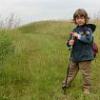
    Hallo liebes Forum, endlich hat mich mein Papa hier angemeldet. Mein Papa ist der Norweger, und der treibt sich hier ja schon länger rum. Im Januar werde ich schon fünf Jahre alt! Ich habe auch schon Trekking-Erfahrungen gesammelt: 2x war ich schon beim "Papa-Wandern" im Kindergarten dabei! Am liebsten wandere ich aber auf dem Donnersberg, den kann ich schließlich von zu Hause aus sehen. Dabei entdecke ich immer etwas neues und mache gerne Fotos davon. Draußen geschlafen habe ich noch nicht, aber mein Zelt passt immerhin schon in mein Kinderzimmer. Wenn es wieder wärmer übernachte ich mit Papa zum ersten Mal im Garten, darauf freue ich mich schon.

Account

Navigation

Suche

Suche

Configure browser push notifications

Chrome (Android)
  1. Tap the lock icon next to the address bar.
  2. Tap Permissions → Notifications.
  3. Adjust your preference.
Chrome (Desktop)
  1. Click the padlock icon in the address bar.
  2. Select Site settings.
  3. Find Notifications and adjust your preference.
