Zum Inhalt springen
View in the app

A better way to browse. Learn more.

Ultraleicht Trekking

A full-screen app on your home screen with push notifications, badges and more.

To install this app on iOS and iPadOS
  1. Tap the Share icon in Safari
  2. Scroll the menu and tap Add to Home Screen.
  3. Tap Add in the top-right corner.
To install this app on Android
  1. Tap the 3-dot menu (⋮) in the top-right corner of the browser.
  2. Tap Add to Home screen or Install app.
  3. Confirm by tapping Install.

Obenbleiben

New Members
  • Benutzer seit

  • Letzter Besuch

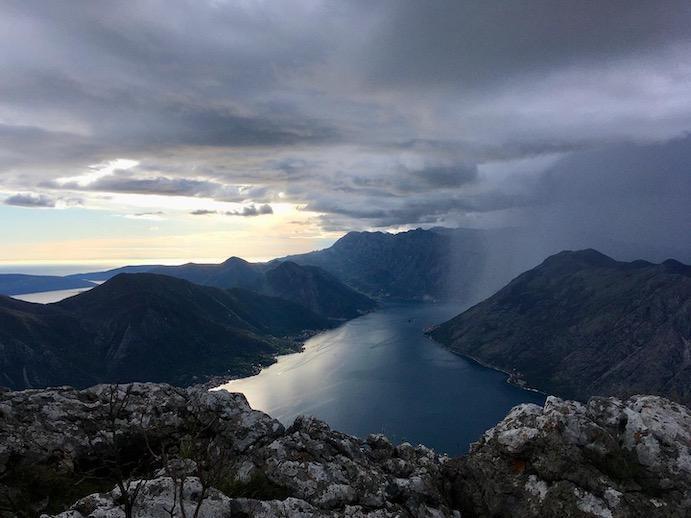
  1. Vielen Dank für den tollen Bericht, den ich gerne gelesen habe, nachdem wir auch eine Reise in die Gegend planen. Darf ich kurz fragen, wo der Aussichtspunkt mit dem Blick auf das fjordähnliche Gewässer ist? Wir machen lieber Tageswanderungen, und das sieht mir nach einem schönen Ziel aus. Danke!
Account

Navigation

Suche

Suche

Configure browser push notifications

Chrome (Android)
  1. Tap the lock icon next to the address bar.
  2. Tap Permissions → Notifications.
  3. Adjust your preference.
Chrome (Desktop)
  1. Click the padlock icon in the address bar.
  2. Select Site settings.
  3. Find Notifications and adjust your preference.