Scotsman
Members
-
Benutzer seit
-
Letzter Besuch
Alle erstellten Inhalte von Scotsman
-
Guten Morgen, kann mir jemand eine Bezugsquelle für das 3M-Band nennen, wo ich nicht gleich eine Palette abnehmen muss? Vielen Dank Thomas
-
Mein Canyon Grail, mit dem ich dieses Jahr einige tausend km abgegrissen habe ... Mittlerweile ist das Big Agnes Copper Spur UL2 am Lenker einem Tarptent Aeon Li auf dem Rücken und selbstgenähten Taschen aus DCF am Lenker gewichen. Ich liebe das Grail, ein super Kompromiss für Strasse, Trail und Bikepacking. Seitdem ich es habe stehen Fully und Rennrad meist ungenutzt herum...


-
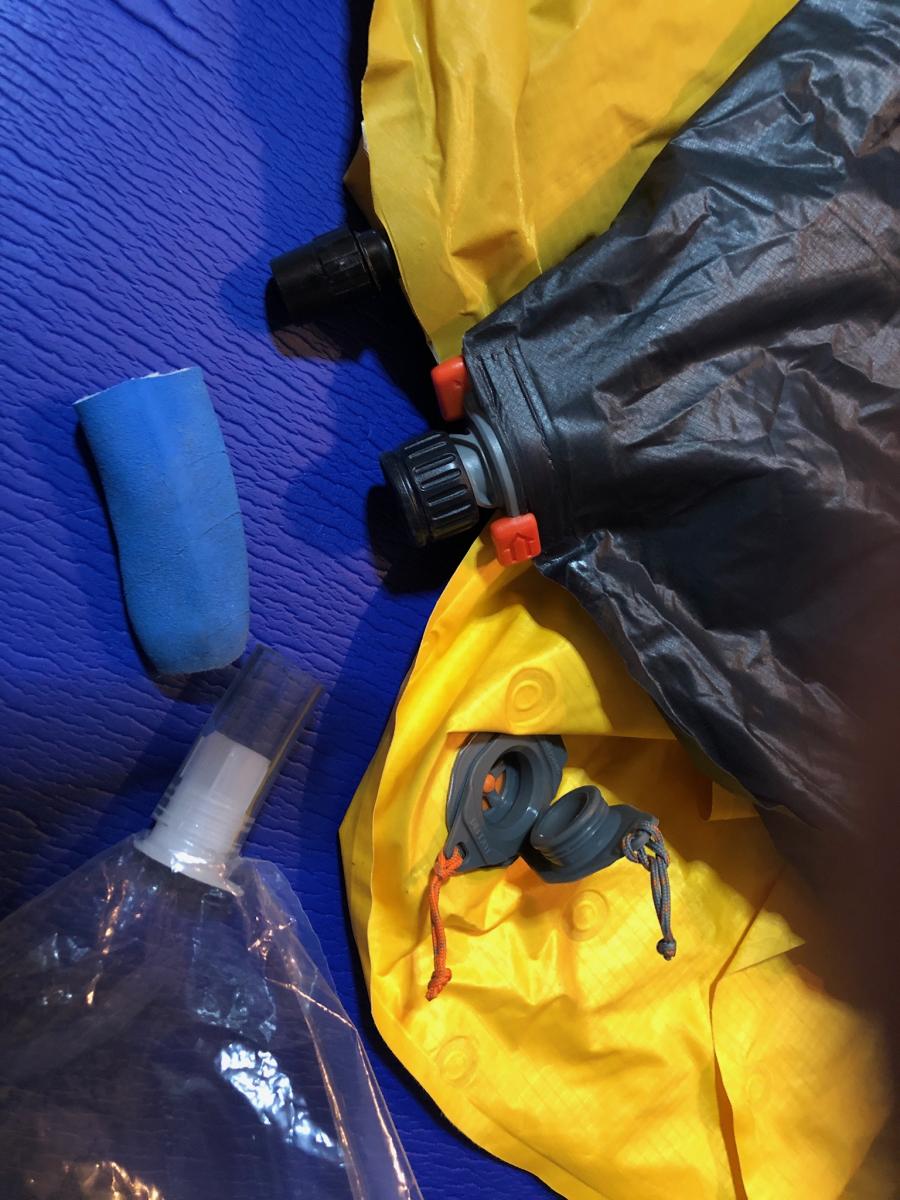
Ganz toller Tipp, vielen Dank! Noch ein abgeschnittener Finger von einem Gummihandschuh dazu, dann passt es auch an die Uberlite 2020 Ein Pumpsack für drei Systeme mit minimalem Zusatzgewicht und endlich liegt der unverhältnismäßig schwere Pumpsack der Uberlite ungenutzt im Regal Viele Grüße Thomas