Zum Inhalt springen
View in the app

A better way to browse. Learn more.

Ultraleicht Trekking

A full-screen app on your home screen with push notifications, badges and more.

To install this app on iOS and iPadOS
  1. Tap the Share icon in Safari
  2. Scroll the menu and tap Add to Home Screen.
  3. Tap Add in the top-right corner.
To install this app on Android
  1. Tap the 3-dot menu (⋮) in the top-right corner of the browser.
  2. Tap Add to Home screen or Install app.
  3. Confirm by tapping Install.

„Barfuss“ durch den Harz

Featured Replies

Geschrieben
Am 10.11.2024 um 12:02 schrieb HelgaUnterwegs:

Danke für diese schöne Perspektive! Ich hätte eher gedacht, die Region wäre zu traurig geworden. Aber deine Beschreibung macht richtig Lust darauf. :-) 

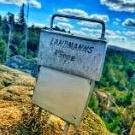
Auf meiner Deutschlandquerung mit dem Rad letzten Sommer habe ich auch gedacht "Mensch ist es traurig", aber wenn man genauer hinschaut sieht man, dass zwischen den Bäumen neues Leben entsteht. Man kann also Live den Neustart eines Waldes beobachten.
  • Antworten 50
  • views 19,2k
  • Erstellt
  • Letzte Antwort

Top-Benutzer in diesem Thema

Veröffentlichte Bilder

Erstelle ein Benutzerkonto oder melde Dich an, um zu kommentieren

Account

Navigation

Suche

Suche

Configure browser push notifications

Chrome (Android)
  1. Tap the lock icon next to the address bar.
  2. Tap Permissions → Notifications.
  3. Adjust your preference.
Chrome (Desktop)
  1. Click the padlock icon in the address bar.
  2. Select Site settings.
  3. Find Notifications and adjust your preference.