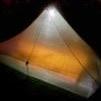
Geschrieben 7. März 20251 J. Die goldgelbe Variante vom Cloud Up 2 gibt es aktuell bei Amazon in einer besonders leichten Version. Absolut konkurrenzlos 😇 Wollte es erst nicht glauben 🤭
Geschrieben 8. März 20251 J. Die Chinesen nehmen es nicht so genau mit dem Gewicht. Ich würde da noch ein halbes Milligramm dazu rechnen.
Geschrieben 8. März 20251 J. Klarer Fall von stupid light 😄 "Es ist eine gefährliche Sache, Frodo, aus deiner Tür hinauszugehen. Du betrittst die Straße, und wenn du nicht auf deine Füße aufpasst, kann man nicht wissen, wohin sie dich tragen." Bilbo Beutlin
Geschrieben 8. März 20251 J. Autor vor 2 Stunden schrieb HolyMole: Wie sturmsicher ist das? ...als Aerosol? Ich denke, ähnlich sturmsicher wie ein Heißluftballon… es bewegt sich einfach MIT dem Wind.
Erstelle ein Benutzerkonto oder melde Dich an, um zu kommentieren